
Fast capture
Log expenses, income, and transfers with enough context to be useful later.
Neto helps you log what comes in and what goes out, organize it by category, and see whether your budget is on track from your phone.
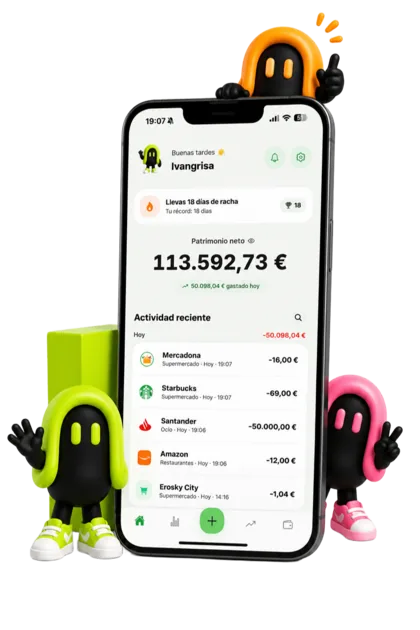
Log expenses, income, and transfers with enough context to be useful later.
Categories answer where money goes, not just which merchant charged you.
Budgets are useful when they warn you before the month is already gone.
Neto is built for logging in the moment. Reduce the friction and the habit survives, which is when your data actually starts being useful.
Tracking spending is the first step. Neto also adds up your accounts and, with Neto PRO, investments and debts, so you can see whether your money is actually growing.
Almost everyone who abandons an expense app does it for the same reason: they end up with two hundred entries and no conclusion. The problem was never recording too little, it was that everything landed in "Other".
A category earns its place if it lets you make a different decision. "Food" lumps the weekly shop together with eating out, and those two are controlled in completely different ways: the first you optimise, the second you decide. Splitting them changes what you do; having fifteen categories you never look at does not.
Recording competes with the moment of paying. If logging a coffee takes longer than buying it, it does not get logged, and an expense app with gaps is worthless, because the figure stops being trustworthy exactly when you need it.
So what really sustains the habit is not willpower, it is the number of taps. In Neto an expense is logged on the spot: from the widget, which opens straight on Add, or without opening the app via Back Tap or automatic payments (PRO). That is the difference between a complete month of data and three weeks full of holes.
No. In Neto you track your spending manually, without giving anyone access to your bank.
Yes. You can create bank, cash, savings or card accounts, each with its own currency and colour.
Yes. Internal transfers move balance around without counting as spending or income.
If looking at the summary you would not do anything differently for two of them, you have too many. The sign of a good category is that its number suggests an action.
You do not need to chase the cents, but you do need to be consistent: a month at 60% is worse than a full month of rounded figures. Gaps are what destroy the usefulness of the data.
Catch up with a rough figure per category. An approximate amount is infinitely better than a gap, because a gap makes the total lie.
The pages that explain each part of the app, in detail.