Accounts and spending
Create accounts for banks, cash, savings, or cards and log spending and income by account and category.
Neto brings together accounts, cash, spending, budgets, savings goals, investments, and debt so you can understand your net worth without a spreadsheet or a bank connection.
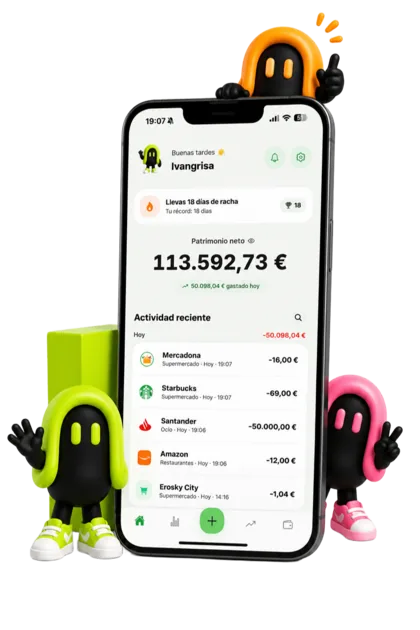
Create accounts for banks, cash, savings, or cards and log spending and income by account and category.
Set category limits and savings goals so you can see progress instead of relying on vague intentions.
Neto PRO brings crypto, stocks, ETFs, funds, assets, and debt into one net worth view.
Download Neto and create your first account. Within minutes you'll have a clearer view of your spending, savings and net worth.
The question that decides whether a finance app lasts more than two weeks is not what features it has, but how much time it asks for each day. If it is five minutes, it does not survive: nobody spends five minutes a day logging expenses, however good their intentions.
The reasonable target is a few seconds per expense, at the moment you pay, without opening the whole app. From there everything else updates itself: net worth recalculates, categories fill in and the monthly summary exists without you building it.
The first month is not for judging anything, it is for calibrating. The categories you picked on day one are almost never the ones you need, and the limits you set by eye come out too tight or too loose.
When the month closes there are three things to look at: which category took more than you expected, which one you never used (that one is surplus) and whether your net worth went up or down. With those three answers, the second month is yours.
Neto is on the App Store for iPhone and also on Google Play for Android.
No. Neto is manual on purpose: it never asks for banking credentials or account access. You record your accounts and movements, and keep the control and the privacy.
Yes. You can start with accounts, expenses and basic budgets, and add investments or debts when you need them.
No: Neto stores your data in your account, so recording needs a connection. Offline you only see what was already open on screen.
Yes, the same app and the same data. There is a dedicated page for the Android version.
Your data is tied to your account, so you sign in on the new phone and it is there. It does not depend on the device.
The pages that explain each part of the app, in detail.