People paid in another currency
Freelancers and remote workers need more than one-currency budgeting.
If you have accounts, income, or investments across multiple currencies, Neto helps you see them together in one clear view on your phone.
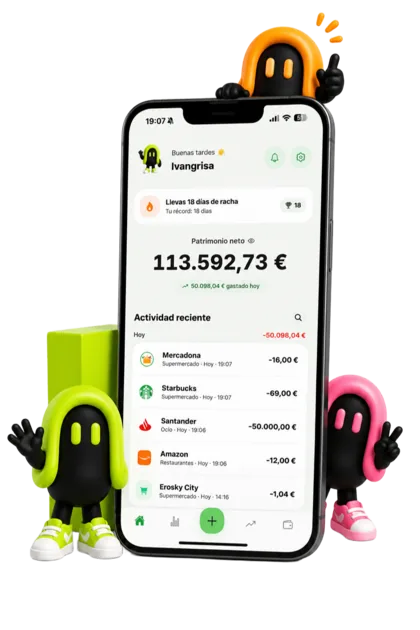
Every account keeps its own currency: an expense in pesos is stored in pesos, not as an approximate conversion you can no longer undo. Neto converts only at the end, to give you a single net worth figure in the currency you choose. These are the 62 currencies available today:
62 currencies
No currency matches that search.
The list grows with every update: the last one added 32 currencies at once, up to today's 62. If yours is missing, write to hello@netoapp.es and we will consider it for the next release.
Freelancers and remote workers need more than one-currency budgeting.
Travel, relocation, and multiple cards create a fragmented money view.
Investments in different currencies should still feed into one net worth number.
A multi-currency app saves you from doing side calculations to work out what you actually hold.
If your income and your life happen in different currencies, the hard part isn't the exchange rate: it's knowing which figure to trust. That's what the guide covers.
Conversion is exactly what breaks when your money is spread out: you log an expense at today's rate, months later the rate is different and you no longer know which figure is the right one. Neto solves it in one single place.
It is the currency you read your net worth, budgets and statistics in. No matter how many currencies you hold: the big number is always in the same unit.
A 40 USD expense is stored as 40 USD. Conversion happens when adding up, never when recording, so the original amount is not lost along the way or tied to the day you logged it.
Neto refreshes rates every day. The value of an account in another currency does not stay frozen on the day you created it, which is precisely what makes spreadsheets stop adding up.
Neto supports 62 currencies, including EUR, USD, GBP, MXN, BRL and AED, among others.
Yes. Each account can have its own currency, colour and name.
Yes. Investments feed into the net worth calculation alongside your accounts and debts.
Neto updates them daily from a public reference-rate provider. They are meant to value what you hold, not to simulate a currency trade: they carry no fees and no bank spread.
Yes. You pick a main currency and Neto converts everything else into that unit to give you a single figure, while each account still keeps its own currency underneath.
No. Neto is not a bank or a currency exchange: it does not move your money, does not connect to your accounts and does not execute any operation. It only records and values what you log.
Yes. The latest update went from 30 to 62 currencies. If yours is missing, write to hello@netoapp.es and we will consider it for the next release.
The pages that explain each part of the app, in detail.