Is it safe to connect your finances to ChatGPT?
In 2026 you can ask an AI assistant to look at your accounts. ChatGPT has offered it since May and Claude since November, both connecting to banks and both only in the United States so far.
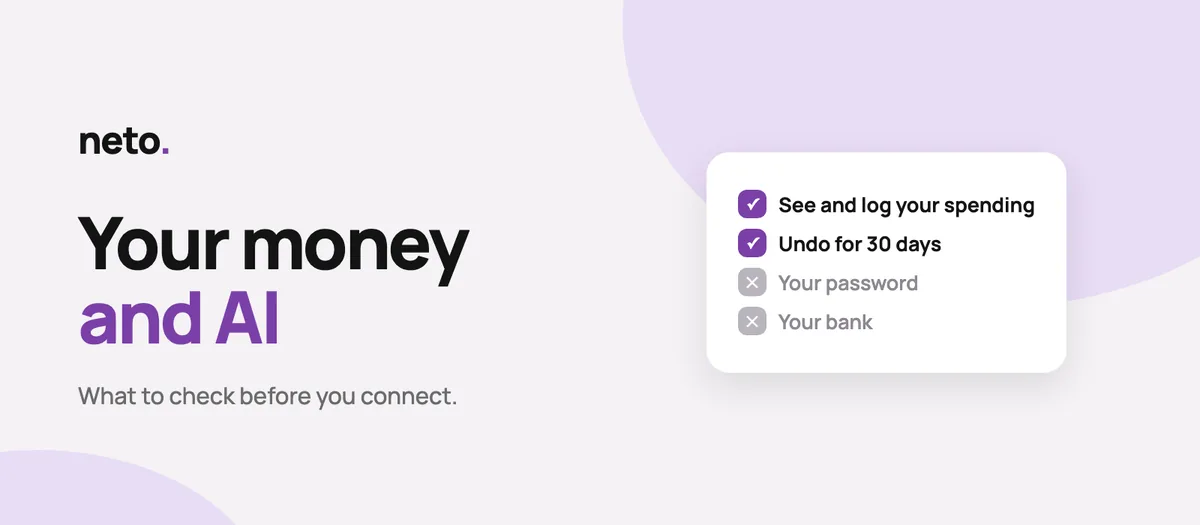
Connecting an AI assistant to your finances is not safe or unsafe in the abstract. It depends on three things you can check beforehand: whether the app gives access to your bank or only to data you typed yourself, what permissions you are granting, and whether you can undo what the assistant does. A company promising not to train models on your data is not the same as promising not to store it. And the risk least talked about, prompt injection, is recognised by Spain's own data protection authority.
Everyone asks the same question before pressing the button: is this safe? The honest answer is that it is not safe or unsafe in the abstract. It depends on three things, and none of them is the brand of the assistant. Checked on 13 November 2026.
Does it give access to your bank, or only to what you typed?
This is the biggest difference and the least explained.
Apps that connect your bank need your banking credentials, directly or through an intermediary. Giving an AI access there extends a chain that already started at your bank.
Apps with manual entry, like Neto, have no banking credentials to pass on, because they never ask for them. What the assistant sees is data you typed yourself.
That does not make it harmless: a hand-typed, categorised spending history is, if anything, more revealing than a bank statement. It says where you eat, when you travel and how you spend your time. The difference is not that it matters less, it is that there is no door to your bank for anyone to push.
One fact that illustrates it: since October 2026 several large banks have started blocking or limiting AI agents' access to their customers' accounts, and at least one rewrote its contract to make clear that using an agent is at the customer's own risk. That debate does not exist when no bank is connected.
What permissions are you actually granting?
Reading is not the same as writing. Before accepting, look for answers to these:
- Can it only look things up, or also add, change and delete?
- Can I grant read-only if I want to?
- Can it touch my password or delete my account?
- Can it move real money, or only record entries?
A permissions screen that does not clearly tell you what the assistant cannot do is a bad sign. And that is exactly what almost no app spells out.
Can you undo?
If you give write access to a system that sometimes gets things wrong, what protects you is not a promise that it will not. It is being able to go back.
Ask two things:
- Is there a log of what the assistant did, visible to you?
- Can a change be undone, and for how long?
There are well known apps with AI connectors that grant write access and offer neither. It is the clearest line between a product that was thought through and one that was rushed.
"We do not train on your data" is not "we do not store it"
This sentence gets repeated a lot and is worth reading slowly. They are two different promises:
- Not training means your data does not feed the model.
- Not storing means it is not kept.
A company can honour the first and not the second. And there is a third nuance: the setting may be on or off by default, and it is not the same across assistants.
When you connect your finances to an assistant, the data leaves for the company behind it, which decides on its own what to do with it. Whatever happens there is not controlled by the app that gave you the connector. It is worth opening your settings with that assistant and checking yourself.
The risk almost nobody mentions
It is called prompt injection. The idea is simple: an assistant that reads data and can also act may be fooled if something that looks like an instruction is slipped into that data. This is not a laboratory theory: Spain's data protection authority, the AEPD, devotes a section to it in its February 2026 guidance on agentic AI, alongside data exfiltration and zero-click attacks.
What reduces the risk in practice:
- Grant read-only while you do not need more.
- Ask it to show you what it is about to change before it changes it.
- Have undo and a log, which turn a mistake into an annoyance instead of a problem.
- Disconnect when you stop using it.
What you should expect before connecting
A short checklist to decide in two minutes:
- 1. The official address of the connector, published by the company. If you got it from a forum, do not use it.
- 2. A permissions screen that says what it can and cannot do.
- 3. Read and write separated.
- 4. Undo, with a stated time limit.
- 5. An activity log you can read yourself.
- 6. A privacy policy saying what leaves, who receives it and how long it is kept.
- 7. Immediate disconnection, from the app and from the assistant.
- 8. Knowing that disconnecting does not delete what the assistant already received.
How Neto does it
We spell this out so you can compare it with any other app, not because it is the only right way:
- Neto does not connect to any bank, so there are no banking credentials in play.
- The assistant cannot change your password, delete your account or move real money: what it records are entries in your own books.
- Write access is a separate permission that you grant.
- You can undo for 30 days and read the log for 90.
- The connection expires after 90 days and is cut off immediately when you remove it.
- Neto does not train any model on your data.
- It is all written down in the privacy policy, section 10e.
If you want the detail of what you can ask it, see connecting Neto to your AI, and the exact steps in how to connect Neto to Claude.
Sources
- Spanish Data Protection Agency: guidance on agentic artificial intelligence (PDF, February 2026, in Spanish).
- MCPTox: A Benchmark for Tool Poisoning Attack on Real-World MCP Servers (arXiv).
Frequently asked questions
Is it safe to connect ChatGPT to my bank account?
It depends what you give it access to. If it is your bank, you are extending a chain that already carried risk. If it is a manual-entry app, there are no banking credentials in play, although your spending data is still sensitive. Always check what permissions you grant and whether you can undo.
Can the AI take money out of my account?
Only if you give it access to something that moves money. An app that does not connect to banks, like Neto, cannot instruct any payment: what it records are entries.
Is my spending used to train AI models?
That depends on the assistant you connect and your settings with it, not on the app that gave you the connector. Check it before connecting.
What happens if I disconnect the connector?
Access is cut off immediately, but what the assistant already received stays in your conversation with it. If you want it gone, delete that conversation.
Can I grant read-only access?
In a well built connector, yes: writing is a separate permission you have to accept on its own.

Founder of Neto. Writes about expense tracking, net worth and investing from your phone, without connecting your bank.
Your money clear, without spreadsheets.
Neto is the personal finance app for iPhone and Android that works without connecting your bank: your accounts and spending, free; and with Neto PRO, your investments and debts inside your net worth.
Keep reading
All guidesConnect Neto to your AI: what it can and cannot do
How to connect Neto to Claude in 6 steps
Best budgeting apps 2026 without bank linking
This guide is general information and is not financial or investment advice.