Accounts and spending
Create accounts for banks, cash, savings or cards. Add expenses and income from the keyboard, sorted by category and account, and go through the history without running out of scroll.
Neto brings accounts, cash, spending, budgets, goals, investments and debts together so you can understand your net worth without spreadsheets and without handing over your bank login. Now on the Mac too, with its own app, its own keyboard shortcuts and its own widgets.
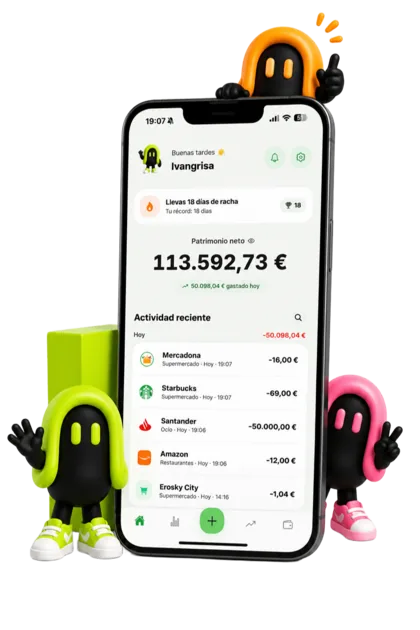
A Mac fits more on screen, so the point is not to log an expense and run. It is to sit down for a while and understand the month: accounts on the left, transactions in the middle, net worth always in view.
Create accounts for banks, cash, savings or cards. Add expenses and income from the keyboard, sorted by category and account, and go through the history without running out of scroll.
Set limits per category and savings targets. On a big screen you can see at a glance which category is getting away from you and how much of the month is left.
With Neto PRO you can track crypto, stocks, ETFs, funds, custom assets and debts inside your net worth, with its history and its charts.
On an Apple silicon Mac you can install the iPhone app, and the result is what you would expect: a phone-shaped window that does not know what to do with a keyboard. Neto for Mac is written separately, in SwiftUI, following the same look as the mobile app but with desktop habits.
Neto is a universal App Store purchase: the same app, with the same identifier, in all three places. If you already have Neto PRO on the iPhone, you have it on the Mac at no extra cost. If you subscribe on the Mac, you have it on the iPhone.
Neto never asks for bank credentials. You decide what to record and when. It works with any bank, cash, international accounts, crypto or assets that no online banking will ever show you, in 63 currencies.
People do not abandon a finance app because it lacks features. They abandon it because it asks for too much time. On a phone the trick is to log the expense as you pay, with the widget. On a Mac the trick is the opposite: sit down for ten minutes a week, go over what came in and what went out, and close the month without surprises.
There are three Mac widgets for that, which you can put on the desktop or in Notification Centre:
Receipts work on the Mac too, with Neto PRO, but the other way round from the phone: instead of taking the photo, you upload the one you already have (the one emailed to you, the screenshot of the receipt, the scanned PDF). The text is recognised on the Mac itself and what gets saved is the transaction you confirm, with its amount, its date and its merchant. The image is never sent to a server.
Neto asks for macOS 15 or later, which covers both Apple silicon Macs and the Intel Macs that support that version of the system. That is deliberate: plenty of Mac finance apps ask for this year's release, and that leaves out anyone who has not bought a computer recently. If your Mac can install macOS 15, it can run Neto.
You download it from the Mac App Store, it weighs around 80 MB and it is free to start: create your account, add your first bank or cash account, and your balance and net worth start adding up. Neto PRO is optional, and you subscribe and cancel through your Apple account, like any other subscription, in System Settings.
What the Mac does not do, because it makes no sense on a computer, is take payments with Tap to Pay or read your Apple Pay payments automatically. Those two belong to the iPhone.
Download Neto on your Mac and create your first account. In a few minutes you will have a clearer view of your spending, your savings and your net worth, and the same information on your iPhone when you leave the house.
Yes. Neto has a native Mac app, written separately in SwiftUI, with the same look and the same features as the iPhone one, plus keyboard shortcuts and widgets of its own. It is not the iPhone app running in a narrow window.
macOS 15 or later. Both Apple silicon Macs and Intel Macs that support that version of the system will do, so you do not need a brand-new computer.
No. Neto is a universal App Store purchase: the app is free in all three places and, if you already have Neto PRO on your iPhone or iPad, you have it on the Mac at no extra cost.
Yes. Your Neto account is the same one: sign in with your email, with Apple or with Google and your data is in both, stored on servers in the European Union. What you log on the phone shows up on the Mac, and the other way round.
No. Neto is manual on purpose: it never asks for bank credentials or access to your account. You record your accounts and transactions, or import them from a file your bank gives you, which keeps you in control of your privacy.
Yes, with Neto PRO. On the Mac you upload a photo or a screenshot of the receipt instead of taking it with a camera. The text is recognised on the Mac itself and only the transaction you confirm is saved: amount, date and merchant. The image is sent neither to Neto's servers nor to anyone else's.
It is a weekly or yearly subscription with a 3-day free trial, and one subscription covers your iPhone, your iPad and your Mac. Apple shows you the price in your currency before you confirm, and you cancel it from your Apple account in System Settings.
The pages that explain each part of the app, in detail.